

Download Google Toolbar – free, secure, productivity‑boosting browser add‑on
Overview of Google Toolbar
Google Toolbar is a feature‑rich browser extension that was originally built for Internet Explorer and later adapted for Firefox. Its primary goal is to streamline everyday web tasks—searching, translating, sharing, and filling out forms—without ever leaving the current page. By integrating Google’s core services directly into the toolbar, users gain instant access to a search box, multilingual spell checking, auto‑translation, Gmail preview, and a host of social sharing buttons. Although the Firefox version is no longer officially distributed, many legacy users still keep it installed for its convenience. The toolbar also offers a pagerank indicator, side‑wiki notes, and synchronization across multiple computers, making it a compelling productivity tool for power users who spend a lot of time in the browser.
Key Features that Set Google Toolbar Apart
- Instant Google Search Box: Perform web searches from any page without opening a new tab.
- Automatic Page Translation: Translate foreign‑language pages in real‑time using Google Translate.
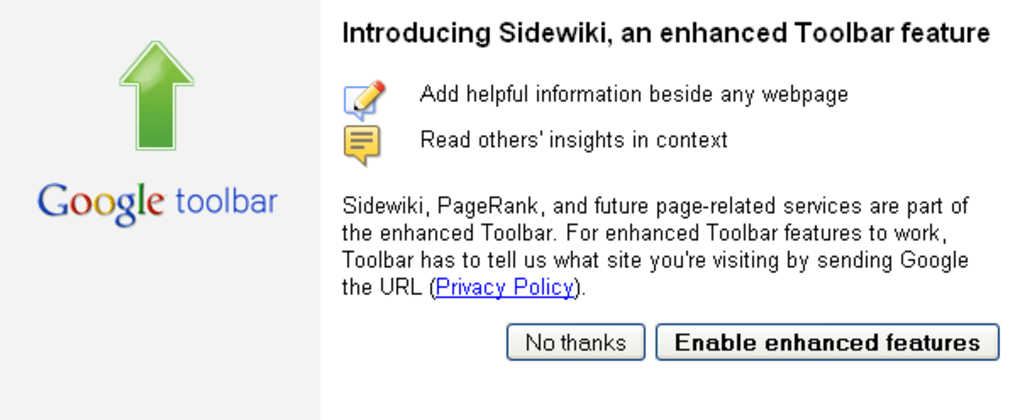
- Side‑Wiki Notes: Write private or shared annotations on any webpage, useful for research or collaborative work.
- Multi‑Language Spell Check: Detect spelling errors in dozens of languages while you type.
- Form Auto‑Filler: Save personal information and let the toolbar automatically complete forms, speeding up online purchases and registrations.
- Gmail Preview: View new Gmail messages directly from the toolbar without opening the full inbox.
- Pagerank Indicator: See an estimated Google PageRank for the current site, helpful for SEO enthusiasts.
- Social Sharing Buttons: Share pages instantly to popular services such as Facebook, Twitter, and Reddit.
- Toolbar Sync: Keep the same set of buttons and settings on multiple computers by syncing via a Google account.
- Customizable Button Layout: Add, remove, or rearrange up to dozens of buttons to suit personal workflow.
Installation, Usage, and Compatibility
Even though Google no longer offers a direct download for the Firefox version, the installation process remains straightforward for those who have an archived installer. Follow these steps to get Google Toolbar up and running on a supported platform:
- Download the Installer: Locate a trusted source that hosts the last Firefox‑compatible version (typically a .xpi file). Verify the file’s checksum to ensure it hasn’t been tampered with.
- Open Firefox and Access Add‑Ons: Click the menu button (☰) → Add‑Ons and Themes → Extensions.
- Install the Extension: Drag the downloaded .xpi file onto the Add‑Ons page or use the “Install Add‑On From File” option.
- Restart Firefox: After installation, Firefox will prompt you to restart the browser. Do so to activate the toolbar.
- Configure Settings: Click the Google Toolbar icon, then select Options. Here you can enable/disable individual buttons, set your preferred languages for translation, and connect the toolbar to your Google account for syncing.
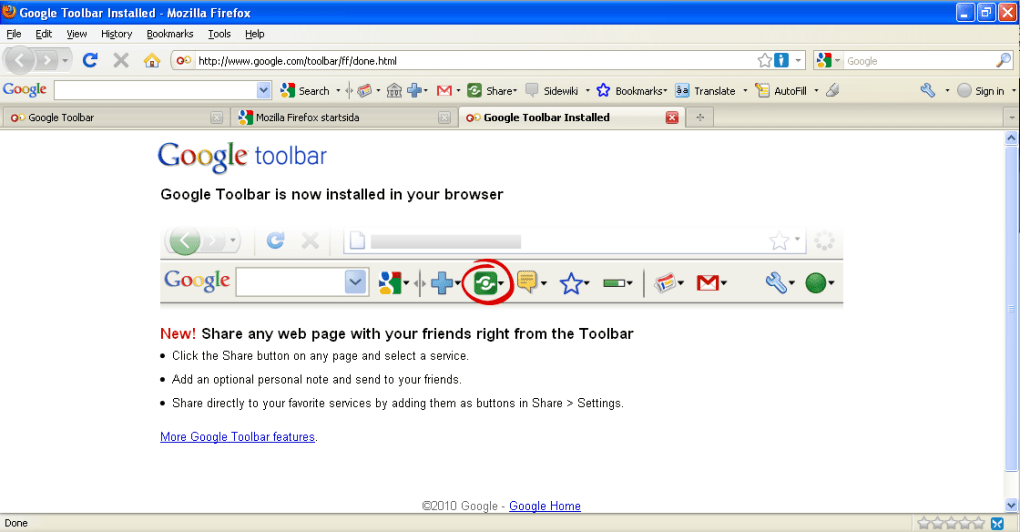
- Start Using the Toolbar: The toolbar appears just below the address bar. Begin typing queries in the search box, click the translation icon on foreign pages, or open the side‑wiki panel to take notes.
When it comes to operating system compatibility, Google Toolbar for Firefox works on the following platforms:
Windows (XP, Vista, 7, 8, 10, 11), macOS (10.5 Leopard through macOS 10.9 Mavericks), and Linux distributions that support Firefox 3.x‑4.x. The toolbar is not compatible with modern Firefox releases (post‑Quantum) without a legacy compatibility layer, and it is completely unavailable for Chrome, Edge, or Safari.
Performance Tips: Because the toolbar is known to cause memory leaks in older Firefox builds—especially on macOS—users should monitor RAM usage via the built‑in Task Manager (Windows) or Activity Monitor (macOS). If you notice frequent “spinning wheel of death” incidents, consider disabling non‑essential buttons or uninstalling the extension until an updated version is released.
Pros, Cons, and Frequently Asked Questions
Pros
- All‑in‑one access to Google services saves time.
- Instant translation and multilingual spell check improve browsing on foreign sites.
- Side‑wiki feature provides a lightweight note‑taking solution.
- Form auto‑filler reduces repetitive data entry.
- Sync capability ensures a consistent experience across multiple computers.
Cons
- Memory leaks on older Firefox versions, particularly on macOS, can cause crashes.
- Large number of buttons may clutter the UI, leading to a “bloated” appearance.
- No official support or updates for modern browsers.
- Compatibility limited to legacy Firefox releases; not usable with Chrome, Edge, or Safari.
- Potential privacy concerns if users enable extensive data‑sharing features.
FAQ – Google Toolbar for Firefox
Is Google Toolbar still safe to use on modern systems?
The toolbar is no longer maintained, so security patches are not released. While it can still function on legacy Firefox versions, using it on a modern system is not recommended unless you isolate it in a sandboxed environment.
Can I sync the toolbar settings between a Windows PC and a Mac?
Yes. By signing into the same Google account on both machines and enabling the sync option in the toolbar’s preferences, your button layout and language settings will be mirrored across Windows and macOS.
How does the auto‑translation feature work?
When you click the translation icon, the toolbar sends the page URL to Google Translate’s API. The translated version is then displayed in the same tab, preserving the original layout while substituting text with the selected target language.
Will the toolbar affect my browser’s performance?
On older Firefox builds, especially on macOS, the toolbar is known to cause memory leaks that can slow down or freeze the browser. Disabling rarely used buttons and keeping the toolbar updated (to the last available version) can mitigate most performance issues.
Is there a paid version of Google Toolbar?
No. Google Toolbar has always been offered as a free add‑on. The reflects its free pricing model.
Conclusion – Should You Download Google Toolbar?
Google Toolbar remains a compelling example of how tightly integrating search and productivity tools can reshape the browsing experience. For users still running legacy versions of Firefox on Windows or macOS, the toolbar delivers instant search, multilingual support, and handy side‑wiki notes—all without leaving the page. However, the documented memory leaks, UI clutter, and lack of ongoing updates make it a risky choice for anyone who prioritizes stability or runs the latest browsers.
If you value the convenience of one‑click Google services and are comfortable managing a legacy setup, give the toolbar a try—just remember to back up your bookmarks and monitor memory usage. For most modern users, newer extensions such as “Google Search” or “Google Translate” add‑ons provide similar functionality with better compatibility and active support.
Ready to boost your productivity? Download the last available version of Google Toolbar for Firefox, follow the installation steps above, and enjoy a faster, more connected browsing experience—while keeping an eye on performance.







